
Web Application
Legacy Upgrades · Performance · Security · Free Technical Brief
Your Web App Isn't a Store. It's Still Mission-Critical.
I have a codebase nobody else will touch. I can't just rebuild from scratch.
We're stuck on Drupal 7. Upgrading feels like defusing a bomb.
Our app is mission-critical but the code is fragile. One wrong move breaks everything.
Performance is degrading and I don't know if it's the server or the application.
I need someone who understands both the infrastructure and the application layer.

We Inherit Codebases Others Won't Touch.
Legacy stacks, messy code, critical systems — we’ve seen it all. We don’t just audit and disappear. We fix it.

Free Technical Brief

Legacy Upgrades Done Right

Performance & Security Hardening
Razoyo AppWatch · Your App’s 24/7 Guardian
AI Teammates That Never Clock Out.
Your app doesn’t sleep. Neither do ours. Razoyo’s agents detect, diagnose, and fix — before your users notice anything was wrong.
We’re getting calls from parents — nobody can create an account. Registration has been broken since this morning. We have a board meeting tonight and people need to sign up.
On it. Scanning error logs… EXCEPTION in AccountCreation.jsx:47 — TypeError: Cannot read properties of undefined (reading ‘email’). Triggered exclusively on Google OAuth flow. Isolating root cause.
Root cause confirmed. Google OAuth returns a partial profile when a user declines calendar permissions — email comes back undefined. Null check missing on line 47. PR #23 open. Null guard added + fallback to prompt for email if OAuth profile is incomplete. All 94 tests passing. 3 new edge-case tests added.
Reviewed PR #23. Fix is correct — null guard catches the partial OAuth profile and handles it gracefully instead of crashing. New tests cover the edge case cleanly. Merging now. Sarah, test registration in ~2 minutes.
Just tested — it works! Parents can sign up again. You all saved us tonight. 🙏
This is what 24/7 coverage looks like. Caught, fixed, and confirmed — before users feel a thing.
We've Done This Before

Lighthouse (Kriya Revgen)
Internal analytics tool → 10,000+ daily users. 90% hosting cost reduction.
See Case Study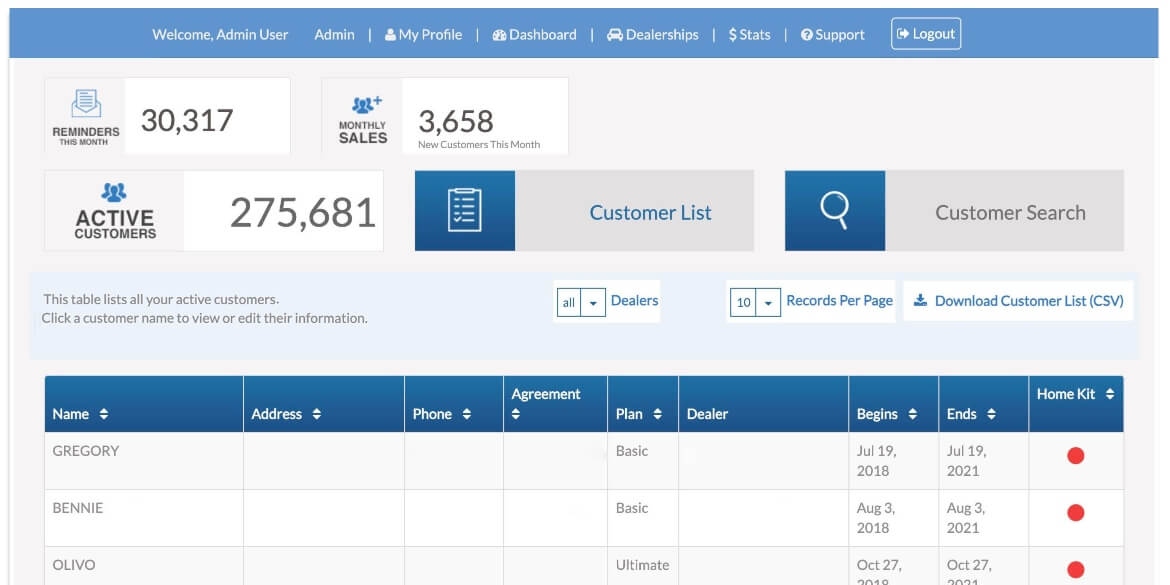
Custom Application (Service Industry)
Full build and delivery for warranty portal. Non-ecommerce custom app from Spec to launch.
See Case Study
Design Trade Service
Rescued failed build from another developer. 10+ year partnership. CEO still calls us first.
See Case StudyPrototype to Production: How We Turn Messy Code Into Scalable Systems
Read the transcript
[0:01] Hi, today we're speaking directly to product owners and product managers. Basically, anybody who has a business responsibility for a software project or system of any kind. Anybody who really works with outside developers or even internal developers. And hopefully we can help you understand how AI has really changed the developer world and what expectations should be changing for you and how to kind of better manage developers in this world of AI and better understand what they do so that you can do your job better. My name is Paul Byrne. I'm the president of Razoyo. I have with me today William Byrne who is the chief technology officer for Razoyo and takes lead responsibility for most of our software development projects.
[0:51] And I have Giancarlo. Giancarlo is a product manager. Used to be a developer, but he's a product manager in the Razoyo world. He actually works with a sister company called Refactored Group on a product called Automatic FFL. So I'm going to start by kind of throwing it to you William and asking you know how has AI changed your world like how has your job changed in the past 12 months as far as the implementation of AI is concerned.
[1:23] Yeah. So I think AI is at the point where you know you can't just ignore it as an engineering team anymore. I think I saw some figures that said that we are at roughly 75% adoption of developers that are using AI tools regularly in their coding workflow and that's not at Razoyo that's just in general right that's just in general yeah that's an industry spec so so yeah the point being like I think there the expectation is that engineering teams going forward are pretty much going to have to use AI. And it changes the job quite a bit. We're still kind of early in the adoption of AI into the software world. You know, as software developers, we're used to managing change at a fast pace. But I would say, you know, this is probably the biggest change that has hit since I've been writing code, which has been just a little over 10 years. You know, it's it's changed the day-to-day of the job drastically. It's kind of turned around the role. You know, six months ago, most of the code that was produced by me obviously was written by me. I would actually type out lines of code. You know, if I'm trying to diagnose an issue, I would be reading the code, maybe adding to the code to produce some information that could be helpful. I do almost none of that on my own today. I would say, you know, probably upwards of 95% of the code that I personally produced is produced using AI tools. And I think you're probably going to see that across the board. I think GitHub and this is old. This was back in December. But GitHub did a pretty large analysis of the code that's that's hosted by them. And they estimated that AI wrote about 30% of the Python functions with US contributors.
[3:39] So most code is we're moving towards the place where most code will be AI generated. Now that's not to say that the job that we've arrived at where software development is now automated. That's not what this means. You know, you end up doing a lot of reviewing. You can't just blindly accept what the AI tools are cranking out. So, it really shifts the job into I would say more of a reviewer role. Like you know to use an analogy instead of being a novelist you now become an editor-in-chief.
[4:19] And so yeah, like I think that's the biggest change is the day-to-day the type of day-to-day tasks that we are involved in has kind of changed from the mundane boilerplate setup to really like higher level thinking about implementing business requirements in a way that's going to be good for the project in the future. Okay. So, how if you were just to ballpark it, like how more efficient would you say? And I know it's a total swag because, you know, we haven't really studied or measured this, but you know, after a year of experience, like where would you say you sit?
[5:05] So, that's an interesting question. I think I would I would say I would want to measure it to feel comfortable giving like an actual percentage answer. I mean, and the reason I say that is because I've read a lot of interesting studies that are out there. And it's not uncommon for developers to believe that they're actually being more efficient, but when it gets measured in some cases, it actually had the opposite effect and it made them slower. So from everything I've seen, it's, you know, the AI has the power to increase efficiency. But what I've noticed is it's all in how you use it. So for example, there's a random control trial that METR ran on experienced open source devs working in their own repos. And it found that AI actually made them 19% slower. So there's you know but at the same time there's other research that shows you know 25 30% increase in efficiency. And so I think if you we wade through all this information and really drill down to the question of why is the efficiency gain kind of all over the place I think it's because it's how you're using AI that's really the important thing to look at. And not just from an efficiency perspective but also from a skills development perspective as well.
[6:48] There was an anthropic article that came out recently that was pretty interesting. They ran a trial on 52 mostly junior engineers that were learning a new Python library. And they basically compared the result of a group that was using AI versus a group that was not using AI. And the group that was using AI did finish more quickly. In this particular study, they finished two minutes faster. So, not significant, but two minutes faster.
[7:23] However, they gave them a quiz on the Python library shortly after they they finished the learning exercise and the AI group actually scored 17% lower. So all of this to say, you know, I think what really is important is figuring out how to integrate AI tools into your workflow. How to make sure that as you're learning new programming languages, especially for the more junior engineers, that you don't sacrifice the absorption of knowledge by relying on the tool. And that's not to say don't use it, but again it's how you're using it. So you know me personally I like I would pin it at a 25% increase in performance. That's unmeasured obviously. So I'd be interested maybe I need to look at that closer. But I feel like you can multitask a lot better which if you are writing the code yourself, you're pretty much going to have to hone in on what you're working on and kind of just focus on that until you complete it. When you start introducing AI tools, it's not uncommon for you to have three or four things going on at the exact same time and just to context switch back and forth between the different prompts because there's a waiting period. Obviously, AI has to think and so if you're just sitting there and you're waiting for that response, you know, that's time that could have been spent making progress on something else. So again, all to say it's all about how you use it, but I think if you apply the right strategies, it's a it's a net win in terms of efficiency.
[9:10] Okay. Yeah, it's a that's a pretty good endorsement. I think what would be interesting is maybe if you talk to us a little bit about the tools you're using and how you're using them, which you know, as you mentioned, it's important to how you use AI as much as whether or not you are using it. In fact, it's the critical piece. Yeah. So, there's, you know, there's various AI companies, there's various AI tools, and I have definitely not tried all of them. But what I will say is I've kind of landed exclusively on using Claude Code. I'm not saying it's the best, but I will say that a lot of the engineers that I talked to, that seems to be the one that they prefer. It kind of changed the game in terms of coding AI agents. And it's a command line tool, so it's mostly developer friendly. You know, there's not going to be a lot of people that are comfortable with the command line that aren't engineers. But they've definitely built it out.
[10:17] So my tool set is Claude Code right next to the project that I'm working on. Using it to read the code, write documentation, write tests. And then I've also, you know, they released a Chrome plugin. So now you can launch Claude Code, you can connect it to your Google Chrome browser, and let's say if you're working on building out, you know, web page or something that involves a front-end experience, now not only will it write the code for you, but it will also then open up Google Chrome, go through, you know, a test of what it was supposed to do, it'll take screenshots, make sure that if you asked for the button to be on the bottom left, it's actually going to verify that it's there and it's not on the bottom right. And you know, that's pretty much like the state of the tool set today that I use. I will say like Claude Code is a bit of an umbrella because there's multiple tools within that tool. So you have the Chrome extension, you have the ability to build out agents and skills.
[11:28] And so going back to what I was saying earlier, you know, you're probably going to see a big difference between somebody that just picks up quad code and starts using just the general prompt to get their tasks done versus somebody that actually puts the effort in to learn how to configure things like sub agents and then, you know, they're going to see a much bigger efficiency boost, I think. So, Gotcha. Gotcha. No, that sounds great. Giancarlo, let's talk about your job a little bit. So, you used to be a developer, now you're a product manager, product owner. You've always kind of been one to try out some of the newer tools and so maybe you've been using AI for a little bit longer than the rest of us, but tell me like how that has changed your world as a as a product manager.
[12:25] I would say that yeah things are much more efficient for me. And yeah like as a product manager you're kind of like you want results right? Things are kind of results based. I mean obviously you got to do things right but like but yeah you're always looking at you know the next step the next thing to be you know released or or the next thing that you can you know work on your next task there. So for me I think the biggest thing is that I like the first time I noticed like wow this is this is making a big impact on my work was yeah like we had a period of low resources for developers and and I also work on support and so I'd have these support tickets come in and with some very specific issues.
[13:23] Now a lot of the issues I'm able to diagnose myself, but but some of these were ones that I would normally hand off to our developer. But we yeah but we we didn't have you know great resources for that. And so I was able to use AI to to debug this issue and a few other issues that normally would have taken me hours if not the entire day to figure out what the issue was. Either through some trial and error or through like you know digging through some of the code just with my like developer background or even trying to recreate the issue myself so I can pinpoint where things are going wrong. Definitely some different avenues there, but but yeah, with AI I can kind of describe the issue have it come up with some you know sometimes pretty creative maybe some certain logs or certain things I can I can quickly use to debug and get to you know pin pinpoint what the issue is. And so you know now within 30 minutes I'm able to provide a solution for our customer when normally that could have taken a day could have taken you know two days if it was really complicated. So you do both you do both support and feature enhancement right?
[15:02] So right so how has it affected the feature enhancement side of things? So for the feature enhancement side of things, a lot of you know our app isn't necessarily you know it's relatively small or available on different platforms and yeah I think the thing that's been really nice is being able to you know for certain tweaks I can actually just have you know Claude Code do it all for me then I don't have to wait on a developer you know, for certain smaller things and then yeah, and then I can test it and release it myself when, you know, otherwise it's something I might need to wait a week for even if it is a smaller feature, right? And I guess so let's talk a little bit about your tool set. What tools are you using and kind of how are you using that? You mentioned Claude Code, but I know you're, you know, you're working with some AI in N8 and some other places that are kind of interesting.
[16:11] Yeah. So, that was another big win for me. Now, yeah. So, yeah, we always use Zapier. I think that's pretty like industry standard. But yeah, I was looking to develop a feature, an upload feature that would take FFL certificates, so yeah, these documents for firearms dealers and then get them analyzed, you know, scrub the data and put that into a database somewhere and then have our system be able to access it and have our customers be able to access it.
[16:50] Yeah. And so yeah, same thing. During a time when we had low developer resources, and even with developer resources, I wanted a way to release this feature faster, right? I didn't want it to take six months to develop this system. Because, you know, we wanted to make sure that we were doing it right. We wanted to make sure that it was something that was totally automated. And so yeah, you know, we n8n this past year especially you know, people were starting to hear about it and especially with the 2.0 release. Yeah, definitely had some buzz and so I kind of learned how to use n8n for some smaller workflows. So I was somewhat familiar with it, but yeah, it's definitely less like non-developer friendly. And it's definitely a lot more technical than Zapier. Takes some getting used to and some learning. And so through yeah ChatGPT and Gemini, I was able to just use the chat features with both of those tools to help me build this you know fairly complicated nan workflow that I never would have I mean not never would have been able to do on my own but you know it would have taken me significantly longer to figure out you know what nodes to use and what settings in the nodes and how to authorize everything and how you know how to connect everything or or you know what's the smartest node to use especially like yeah just transferring data from one node to another or to a node down the line anyways just making sure everything was organized well so that was AI was a huge help for nan for creating a workflow but then on the other side. You know, we were trying to write as little code as possible and so Gemini was a huge help, huge help for allowing me to set up console or Google run or cloud run functions, right?
[19:05] You know, setting up buckets for storage, setting up pub. Yeah, it's just all these different cloud tools that like maybe I had somewhat touched once or twice but definitely unfamiliar with and yeah, it described it to me in a way to make sure that I understood. I could ask any questions I needed. It's like a you know AI tutor, right? So yeah, the console cloud console can get pretty complicated. There's so many different options and settings.
[19:40] You can easily set something up and it just not work because you didn't do it right. Right. And you got to set up guard rails so that you don't set something up that like you set up an infinite loop and it burns through your budget. Yeah. Right. Yeah. That too. So let me ask you this. Like you've you've kind of used a few technical terms in this, but has it decreased your reliance on developers? And it sounds like the answer to that is yes to a certain extent. Although it sounds like you're also kind of investing the improvements in just moving faster feature development, cleaning up, you know, any issues with the software, addressing technical debt. Is that how you would characterize it?
[20:29] Yeah, I definitely rely less on developers. I'm able to do more on my own. Yeah and I think you know part of that is having you know somewhat of a developer background myself but I think even without that you know like through nan Google cloud console like I think product managers without that background can still figure a lot of things out and come up with more creative and still very robust ways to accomplish what they're trying to Cool. All right. I'm gonna go back to you William real quick. So from a CTO's perspective, so you know you have an entire team that you manage. What is the what would you say is like you know and it doesn't have to be one but what's like the biggest success or the biggest successes from AI and then what would you say is the biggest AI failure you've seen over the past year?
[21:26] Yeah. So biggest successes I think come from recognizing what AI does very well and kind of going pedal to the metal with that. So for example you know in any typical engineering team you have bottlenecks and one of those bottlenecks that is pretty typical is the code review process. You know, you can have a big team of engineers. A good portion of them are probably going to be junior. Just that's how it works out. And so, you know, junior engineers are similar to AI.
[22:05] They can crank code out quickly, but it needs to be carefully reviewed. So one of the bottlenecks that we were able to help out with was the code review process itself. So as an engineering team, the leads will no longer look at a pull request, which is just, you know, somebody submitting a change to a codebase. The lead will not even look at it until it's passed through the AI code review. And so, you know, again, the tool we use is Claude Code, but there's many options out there that you can use. And it will basically scan the changes made to the code. It'll take in contextual information that developers will sometimes include like what the goal of the change was and it will assess that for security issues, readability, maintenance issues, bugs, performance. So having that immediate feedback is been tremendous in making code ship more quickly. Because typically the process is the developer gets done with their task, they test it out on their environment, they'll submit the code the code change request and then they have to wait for a lead. And if it's a junior developer, oftent times it's going to it's going to come back to them with some change requests in there. And so you end up having this cycle of developer that was working on the task sends it to the lead. The lead then has to make time in their day to review it. If there's issues, they send it back and then we just go through that cycle all over again over and over. And so having AI be that first line of defense in the code review process and catch the, you know, the issues immediately just puts that dev right back on track in, you know, updating the code to make it acceptable so that it can finally ship.
[24:09] So that's one massive win is just decreasing the feedback loop so that code can make it to your environment faster. The other big win is tests. So you know, every good developer knows tests are required, right? They're going to be anytime they're building a new feature, they're going to be writing tests alongside it. Unit tests, programmatic unit test. Yeah, these are these are basically if you write a function in whatever programming language you want to and also write a function that tests it. So if I'm writing a function and obviously this is oversimplified, but if I'm writing a function called add that takes two numbers and adds them together and returns the result. I'm also going to write a function called add test and I'm going to feed the number two in there as the first argument and then the number two as the second argument and I'm going to validate that the number four comes back. So these are just functional tests that live along with your code. And you know there's different mindsets about it.
[25:15] Some developers skip them altogether. I would never recommend that. Most developers recognize the importance of them. However, you know, at the same time, we need to be practical. They take it takes time to write tests. And so, I find that most of the developers in the organization, they'll go through the process of writing the tests. They'll cover, you know, a couple of cases to make sure that the result is correct. But if they're writing a function that's complex where multiple things can go wrong and there's different states that could be possible, rarely will an engineer actually write every possible combination of scenario to make sure that the output validates. They'll pick a few key ones and then they'll, you know, they'll submit it and skip the rest. With AI, it the tediousness of handling every single use case just goes away because the AI is going to write those tests for you and it's able to reason about what all the possible scenarios are and it will make sure that every single one of those is covered in the tests. So what does this mean, right? What does this actually mean having tests? Well, it means that your code becomes more resilient. So, those tests are going to be what saves you in the future when you decide to ship a big new feature on top of a codebase that's been around.
[26:43] It's big, it's complex. And you know, we've all been there. A new feature breaks something else, right? Well, the better test, the better coverage you have with tests, the more likely you are to catch that before you put it out in front of the users. So it just means a more resilient codebase, you know, that can adapt to change without causing users to get frustrated. So I would say another big win is definitely tests. And I'll throw one other one in there, okay?
[27:15] Which is documentation. It's another one of those tasks where again developers recognize the importance of it. They know they need to write documentation, but for whatever reason, that always ends up making it to the bottom of their priority list. Again, most will write it, but they're not going to be as thorough as, you know, us leads or, you know, other teams might like when we have to, coordinate with each other. So, AI solves this problem. You will probably not write documentation again as an engineer. You're just going to have your AI tool look at the code, look at the feature spec, and generate the documentation for you. So that means that at any given point in time a codebase is going to reliably be documented to the latest spec. And you know that's another problem. We will write documentation before AI and maybe we do a great job writing the initial documentation but then the code changes and that documentation needs to react to the changes in the code and so things slip through the cracks. But when you have AI writing the docs it becomes part of the code change process and the AI knows that if it tweaks this function and it's in the docu mentioned in the documentation there it's also going to update that for you. So I would say those are probably the three biggest wins. As far as failures go things that AI doesn't do very well. You know it sometimes the code that it generates is phenomenal but rarely do you get to that point without some guidance from a developer you know like I said it's almost like having a junior developer so with the right guidance with the right feedback you can really get an a good product from it but without that you have to be very careful and so one of the things that like we have drilled into the heads of our engineers is never blindly accept what the AI generates. You know the new premium skill is not writing code.
[29:31] It's catching when the code is wrong. And so that's something that we've kind of had to adopt adopt in our workflow is just making sure that we're checking the AI code output to make sure it's wrong because, you know, at the beginning when it wasn't as well known, you know, the risk of just glancing through what the AI generated but still shipping it, you know, come to find out when somebody came back to look at some AI generated code that made its way out to production, it wasn't ideal. And so there was some refactoring that had to be done. So biggest failure I think was moving a little bit too quickly without enough review in the process. And that's something we corrected.
[30:16] Yeah and you had mentioned a couple of other failures to me that were more about like the AI. For example, we had a client that we worked with that was using AI in their DevOps pipeline a and trying to automate that pipeline. And what they found out was that it really did not improve the efficiency of the developers and overall like it kind of degraded developer experience which is important for you know keeping developers motivated and the morale up. So I was thinking that was one and then there was another failure where we had a client who was using the AI to generate email summaries of analysis that the that the application created and that at some point you know it started spitting out garbage and they didn't catch it immediately. And so they had to go back and kind of rework their systems so that it so that it would catch the that particular problem and you know and stop spitting out nonsense. Which was tough because they spent a ton of time testing it on like 25% of the data, 30% of the data, right? But then once the AI burned through about 50 to 60% of the data, it just started, you know, hallucinating and doing things. So like you being very careful about running too fast because it fails in ways that I think are unexpected.
[31:59] Yeah I think in that particular case it's not really a failure of using AI in your coding process. You know hallucinations happen and all AI models acknowledge that this is a problem. But the difference that I would say is a hallucination that I have seen in the coding like using AI to help build code would be that you know it might think that the latest version of a particular library you need is actually one that was released six months ago. So it's just not up to date on the latest.
[32:37] Yeah, that's a big issue, isn't it? Yeah. So I would call that a hallucination. You might specifically ask for the latest version and it's going to move forward with confidence even though you can see that it chose a version that was actually outdated. But the particular case you were talking about, this was a situation not necessarily about introducing AI into your coding flow, but this was about building a product feature that's backed by AI. And so what they were doing is they were looking at a large data set of numbers, you know, BI data, and they wanted to send an email to their users that contained a summary of what they should do to react to those numbers. And so in that case, yeah, there were hallucinations and it was bad. It was it was summarizing things that had nothing to do with the data itself. In fact, it was just like telling stories. So you know, they revised, they put better guard rails in place. But I think that speaks to, you know, building AI backed products and kind of some of the things that you have to consider and the safety guards that you have to put in place when you're doing that. Luckily in the coding process using AI to help you write code, the I have not really suffered any sort of hallucinations that were that bad. Again, the worst thing that might happen is it might just tell you to it might just attempt to write an ugly piece of code. You catch it, you explain what you want, and it does a pretty good job coming back with the right answer.
[34:11] Yeah. As long as you treat it as a very iterative process and you're very careful in reviewing it, then you'll see that good point. Yeah, I think you treat AI like a junior teammate. Fast output need needs some supervision. Yeah. And also, you know, speaking of your, you know, speaking of your junior teammates, one thing you want to be careful of, they're all going to use AI, as they should, but you don't want them to buy speed and sell understanding. I don't think that's a great tradeoff to make. So it's it really is getting into the granular details of how you're incorporating it into your flow.
[34:59] It has the ability to move you in a better direction, but it also has the ability to do some detrimental things to your org. Right. Okay. Hey, Giancarlo, real quick. Successes and failures. So successes and failures. I mean, yeah, what like definitely one of the big successes kind of what I already mentioned was that n8n workflow. You know, that was definitely big for me. Let's see.
[35:37] Yeah, I was I mean the biggest the biggest successes I mean efficiency has just skyrocketed. It's I mean and honestly like yeah it's made the job even more fun which is which is great. Yeah. Like yeah it's just it's exciting. It's very exciting to be able to you know incorporate AI and just like the amount that I've learned even you know like kind of like what William was saying you know it's important to understand you know what you're doing still. And so if you're using AI to explain things to you and help you to learn then I think like that's yeah I think that's a really important point like it's really critical that as William was saying you know you don't trust it you treat it like a junior but also that you understand what it's done you know that it's output even if it works even if it functions properly you know and things look good if you don't understand what it's done, then it's a it's a problem, right? Like you want to but you know the solution is well have AI explain it to you, right? And teach you what it did and why it did it.
[36:49] And you may disagree with that and that may mean lead to more revisions of whatever it is you're working on. Do you know do you have any failures? And when I say failures, I mean the sense of like, oh, you ended up just wasting a lot of time on something because you thought AI was going to help you and it didn't or anything along those lines. Yeah. So like I've been so a very specific problem that I've kind of been handing to AI to see what it's thought to help me come up with a plan was so for our WordPress plugin we yeah so Automatic FFL works great on the classic checkout but with WooCommerce's new block-based checkout it's completely different system uses com you know uses react uses like it's a very different way to modify, you know, that checkout versus the classic one, right?
[37:50] And so yeah, and I and I knew that like yeah, we should, you know, if the block-based checkout is the default for WooCommerce, like we should be compatible with it. And I think our customers will appreciate the added value of being able to use like the fancier newer block-based checkout that WooCommerce has, right? So over time, I mean, I think I like even a year ago, I was asking AI like, "Hey, you know, what do you how do you think we should do this?" and I've probably gone through like three or four iterations every, you know, four months or so. And yeah and it never was able to quite figure out a good plan. But yeah as of recently with Opus Claude Opus was able to actually you know come up with something and and it was able to point to the documentation to back it up. Right. So some yeah failures with old older models or yeah wasted some time looking into it and then like having to put it aside for later.
[39:02] Right. Very cool. Well hey thanks guys. I know you're really busy so I appreciate you taking time out and going over this. I know a lot of you know people who are involved in the on the business side of software development you may kind of struggle with whether they should use AI or not use AI where they should. It's one of the main reasons I wrote my book, Adapt or Die, the Real AI playbook, was because I saw that there was a lot of confusion, a lot of fear, a lot of hype, honestly. And, you know, a fair amount of FUD as well in the, you know, in social media or just, you know, being reported in general, even by kind of, you know, what you would consider reliable sources. And I know a lot of people are struggling with that. So, I wrote that book. I encourage people to check it out if you've had any interest in this conversation today. And contact Razoyo if you have any sort of development project that you think you might be able to use our help on or would just like to move faster in implementing AI in your business. Give us a shout. That's what we do for a living. So, we look forward to talking to you. Thanks again, guys. Have a good one.
[40:15] Bye.
"I initially encountered Razoyo in 2015 and hired them to recover a failed Magento implementation. Their acumen and excellent service is why they are still our go-to provider for development and technical consulting — years later."
Greg Wyers
CEO, Design Trade Service
"The Razoyo team's re-imagination and development work leveled up our analytics platform and led us to becoming the leading SaaS product in our space."
Bill Daviau
CEO, Kriya Revgen (Lighthouse)